When you pay for a subscription every month, you expect the service to work flawlessly. And when you’re working with AI tools, hitting a rate limit mid-work can be quite a frustrating experience. Not to mention that all your work, and any sensitive files or documents you work with, are being sent over to an unknown server.
Thankfully, there are tons of apps you can use to enjoy local LLMs. Local LLMs have also come a long way, to the point where you can run lightweight AI models on just about every device. They’re not good at everything, but they do some tasks so well you’d want to cancel that cloud AI subscription right away.
Writing shell scripts without googling every command
Turning plain English into working bash scripts
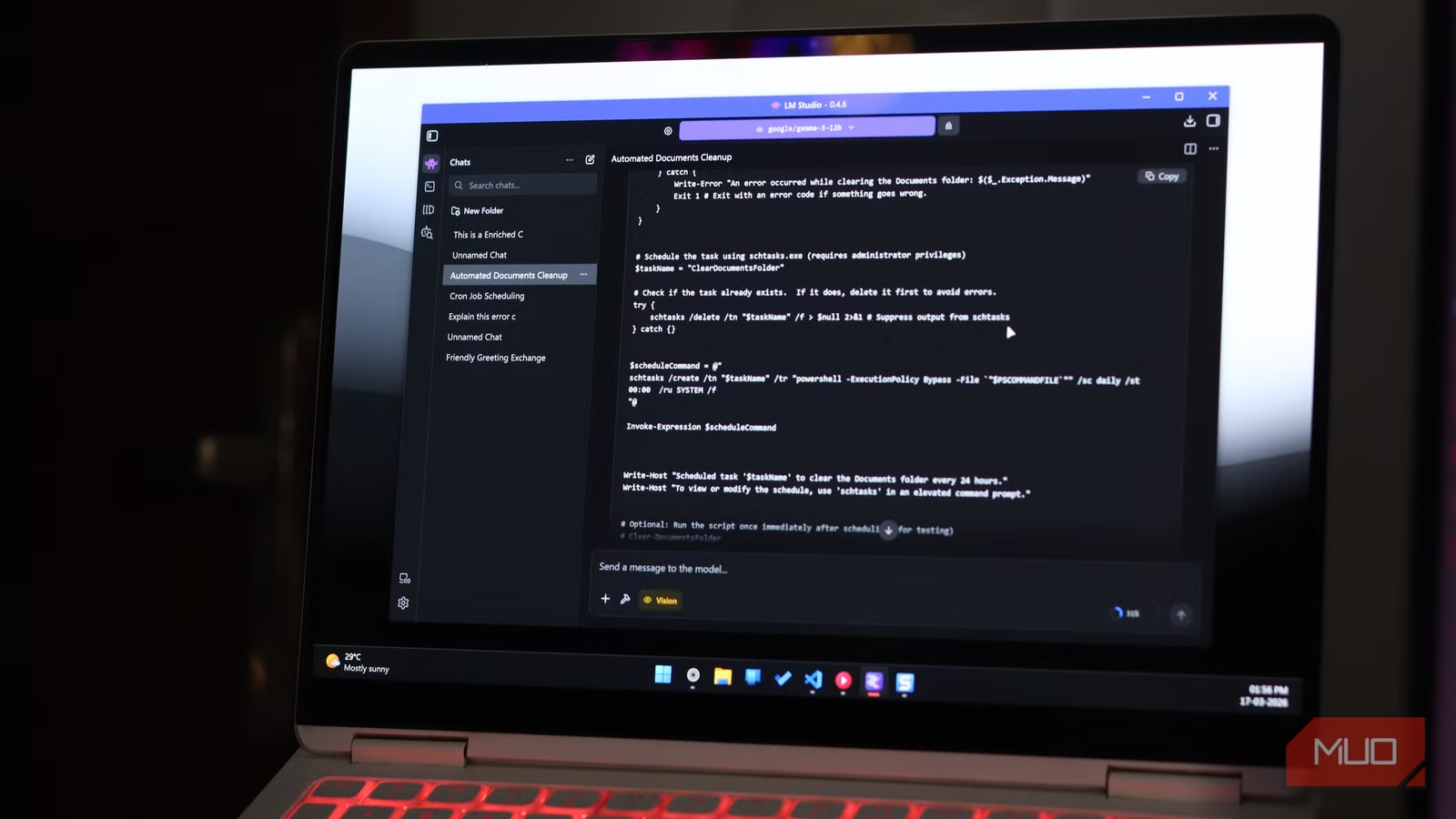
This is what I use my local LLMs for most often. Describing a plain and repetitive system task in plain English and getting a working Bash or Python script back in seconds saves a lot more time than you’d imagine. It’s perfect for spinning up quick scripts to rename multiple files, compressing and moving folders, or automating basic system maintenance. AI models can also explain what each flag and argument does, meaning they’re also great for any command-line tools that you’re familiar with but don’t necessarily know how to use.
Additionally, when these scripts touch your file system, directory structure, cron jobs, or internal server paths, none of that context ever leaves your machine, which is a big deal if you care about how much your tools see of your setup. Describing these commands or tasks to a cloud AI can expose file paths, naming conventions, and even hints of your server topology. A local model sees the same information, and it never leaves your system.
Summarizing sensitive files without sending them anywhere
Keeping private documents truly private
Another rather compelling use for a local LLM is summarizing private documents. You don’t have to feed a contract, a confidential report from work, medical records, or your personal finance statements into an online server. Cloud AI systems, regardless of their privacy policies, involve your data leaving your device and being processed on external infrastructure. Local AI eliminates that risk entirely.
Tools like Ollama paired with LangChain can create entire private document summarization pipelines that run entirely on your hardware. You point the model to a PDF, it reads and summarizes it, and at no point does that content touch a third-party server. For anyone operating with concerns about data sensitivity, this is a non-negotiable advantage.
Offline coding help that understands your setup
Debugging without internet (and without limits)

Coding with AI tools is always a risk, especially if you’re working with internal APIs, customer data handling, or proprietary logic. You wouldn’t want to send original, sensitive code to a third party’s server or even infrastructure for that matter. It’s fine for enthusiasts or hobby projects, but it starts looking reckless for anything commercially sensitive.
The solution is to simply make a local coding AI of your own. I’ve already built a local coding AI for VS Code for myself, and it’s shockingly good. It might not be as fast as cloud-based AI services, but depending on your hardware and the model you’re using, local AI coding assistants can come quite close. Since there’s no network traffic jumping back and forth between servers, the line-by-line completions also feel much snappier. For the bulk of everyday coding tasks—writing utility functions, debugging stack trees, generating boilerplate code, or explaining unfamiliar library syntax, a local coding AI can work out great.
Turning messy meetings into clean, usable notes
No uploads, no delays, no awkward privacy concerns

Just like you wouldn’t want proprietary code going through a third-party’s server infrastructure, you wouldn’t want your meetings and work conversations to go there either. Thankfully, you can easily put together a local AI transcription and summarization pipeline built around tools like Whisper for speech-to-text and a local LLM for summary generation.
Mind you that it does take a bit of setup, but it runs efficiently on most consumer-grade hardware. The result is a workflow where nothing leaves your control. The summarization quality using a map-reduced chunking approach, which essentially means breaking down long transcripts into smaller pieces, summarizing each, and then combining, takes well under 10 seconds for most documents and transcripts, and is good enough for internal use. It also significantly reduces note-taking time.
A personal assistant that never needs an internet connection
Quick answers without rate limits or logins

A lot of what we use cloud AI for daily are low-stakes questions or mundane tasks that you wouldn’t want to spend mental energy on. Asking AI to explain error messages, decrypt Linux commands, and rewrite emails are all tasks that local LLMs can handle just as well, and there’s no meaningful reason for any of that to travel to a cloud server when a local model can answer that just as well in a few seconds. Once a local model is running, the cost of a query is essentially zero—no subscription fees and no rate limits.
Running models like Mistral 7B or Gemma through LM Studio or Ollama gives you a fast and persistent AI assistant that works offline, boots quickly, and doesn’t care how many such questions you throw at it daily. For the routine productivity use that accounts for most of our interactions with online AI tools, this is more than sufficient.
Local AI isn’t perfect, but it’s more capable than you know
None of this means local LLMs are universally better. For more complex reasoning tasks, cutting-edge code generation, working with very large contexts, or accessing the internet, cloud models still have a real edge. Hardware requirements are also a consideration. You might not need a beefy GPU to run AI models, but if you’re doing demanding work, you’re going to need the hardware to support an AI model powerful enough.

AI doesn’t have to cost you a dime—local models are fast, private, and finally worth switching to.
That said, the value proposition has shifted. As open-source models like Llama, Mistral, and DeekSeek mature, the quality gap with cloud AI continues to get narrower, at least for basic, daily tasks. What you get in return—complete control of your data, zero recurring costs, offline capability, and zero rate limits—is a trade well worth the effort.