Disposable compressed air dusters are an essential part of the desktop toolkit, as they provide an easy, efficient, and effortless way to clean your computer and everything around it. However, they come with one major downside—they are a one-and-done deal. Once you run out of gas, you need to buy a new can.
Electric dusters aim to solve this problem by using a small, battery-powered fan to move air instead, and a quick recharge is all you need to keep the cleaning going. I always thought these cheap gadgets were a scam, but after trying one myself, I quickly realized I had been wasting money on disposable cans the whole time.
Canned air is expensive and runs out way too fast
Convenience comes at a cost
Canned air isn’t all that expensive, which is why it’s such a popular tool for dusting your PC to begin with. A single 10-ounce can is enough to dust your PC three to five times, more if you’re light on the trigger and only need it for regular maintenance dusting. You can buy a 10-ounce can for around $10 or get a pack of two for just $13, and it’s enough to last you a year or two.
However, you’ll have to replenish your stock eventually, and the costs add up, especially if you have multiple machines to take care of. Buying in bulk gets you a six-pack for around $28, but at that point, you could have just bought a cheap electric duster instead. And once you’ve gone through all the cans, you’ll have to order a new batch. The cycle repeats.
The drawbacks of cans don’t end there, though. They gradually lose pressure as you use them, which hampers their effectiveness at blowing dust away as the can empties. And if you’re like me, you’re constantly balancing between dusting your stuff and using the finite amount of pressurized air carefully so that it lasts you longer.
An inexpensive electric duster works better than you’d think
Amazing performance given the tool’s size and price
Disposable cans are an appealing product, especially when you catch them on sale. You might only ever need one can to finish cleaning out your PC once, so it’s easy to grab one for a few bucks and call it a day.
However, a cheap electric duster is actually a much wiser investment if you really think about it. The rechargeable batteries, fans, and electronics that make up the duster can last many years before it’s time to replace the gadget.
I held off on purchasing one because I honestly didn’t believe in their effectiveness, but now that I finally own one, I regret not making the purchase sooner.
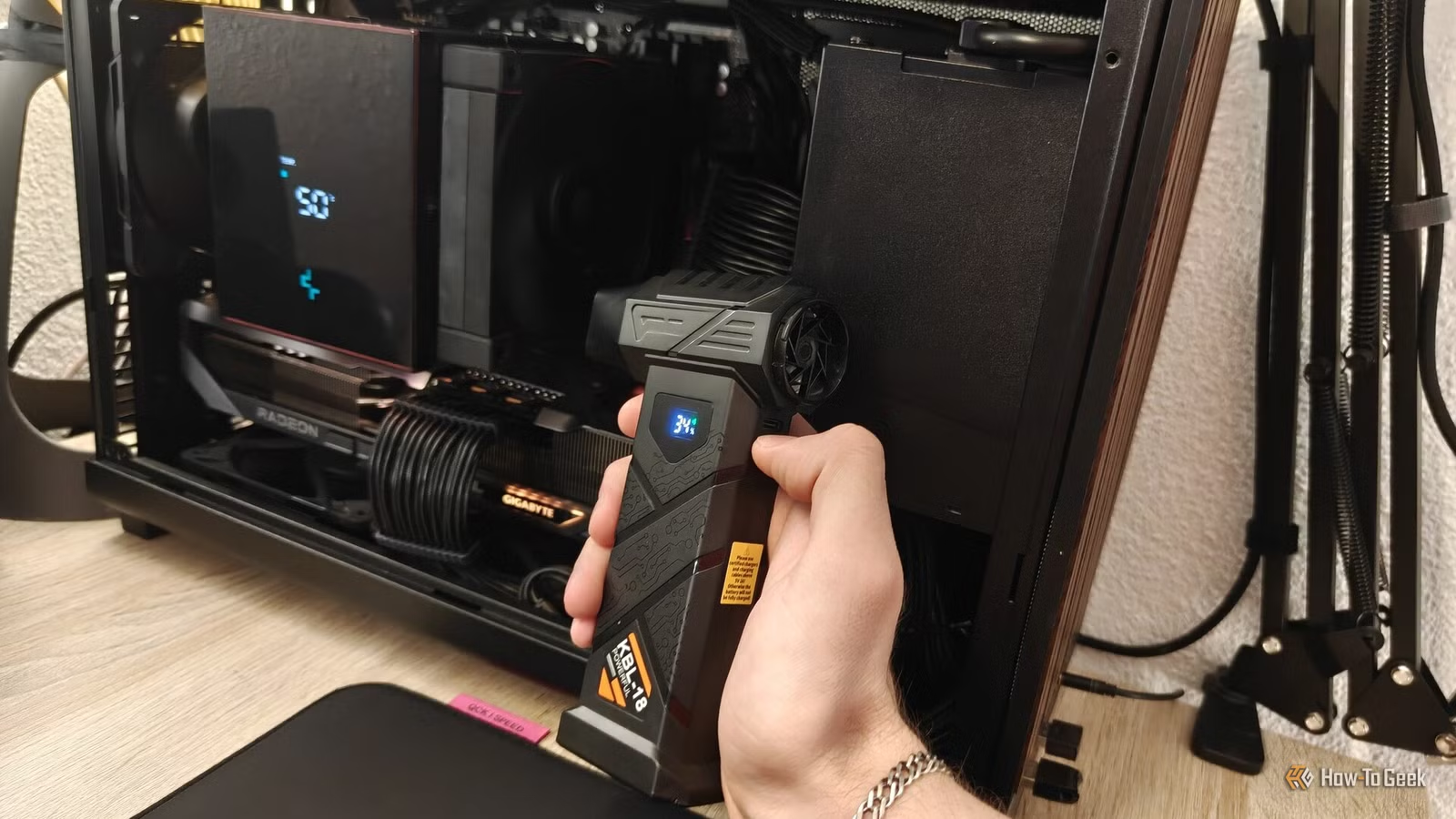
The specific model I bought is the “KBL-18” from Temu, and while it normally costs $20, I actually got it for free through one of the platform’s promotions.
I wasn’t expecting much given the (free) price point, but the second I turned it on, I was literally blown away by how powerful it was. It’s more than powerful enough to clean the dust inside my PC and around my desk, but it’s not so strong that it’s going to break anything, either. Much like canned air, the amount of air it moves is just right.
The battery doesn’t last long on the highest speed; I can literally watch it drain by around 1% every seven to eight seconds. Still, this is the type of gadget you only need to use for a few seconds to a few minutes, so it can easily last a couple of weeks of daily use around the desk before it needs a recharge.
The duster came with three different nozzles that subtly adjust how the air is directed, though I mostly use the narrow circular one because it’s good enough for general day-to-day dusting.
You don’t have to get the same model I did, though; there is a wide variety of battery-powered electric dusters on the market that you can find on Amazon, Walmart, Best Buy, and various other retailers.
Most are in the $15 to $40 range, so the cheapest ones like mine barely cost more than a couple of cans of compressed air. The important part is the integrated battery, which charges via a standard USB-C cable, so you can finally stop buying new cans.
One tool for every surface

The best part of having what feels like an unlimited supply of compressed air is that I can use it whenever I want, not just when I’m deep-cleaning my PC. I no longer have the guilt of “wasting” precious canned air, since I can just recharge the electric duster and keep going.
Now I freely use it to clean my keyboard, mouse, PC case, mousepad, and the rest of my desk on a daily basis. It does a pretty great job at getting rid of dust particles, random lint, and cat hair in just a few short seconds by holding the turbo button.
Of course, the use cases for an electric duster can go well beyond the desk. It’s great at blowing loose dust away from pretty much any surface, like behind the fridge and underneath the bed. You can also use it to dust out all kinds of air filters, your car dash, blow up inflatable toys, and, perhaps my favorite use case, helping start fires for a barbecue.
I didn’t expect to use it this often
The duster has definitely earned its place at my desk
Although I originally got the electric duster just to clean my PC, it has quickly become something that I use for a lot more than that every single day. From regularly dusting my mechanical keyboards to quick cleanups across my desk, I find myself reaching for it several times throughout the day without even thinking about it.

10 Things Under $10 That’ll Instantly Improve Your PC Desk Setup
Give your desk a budget-friendly makeover.