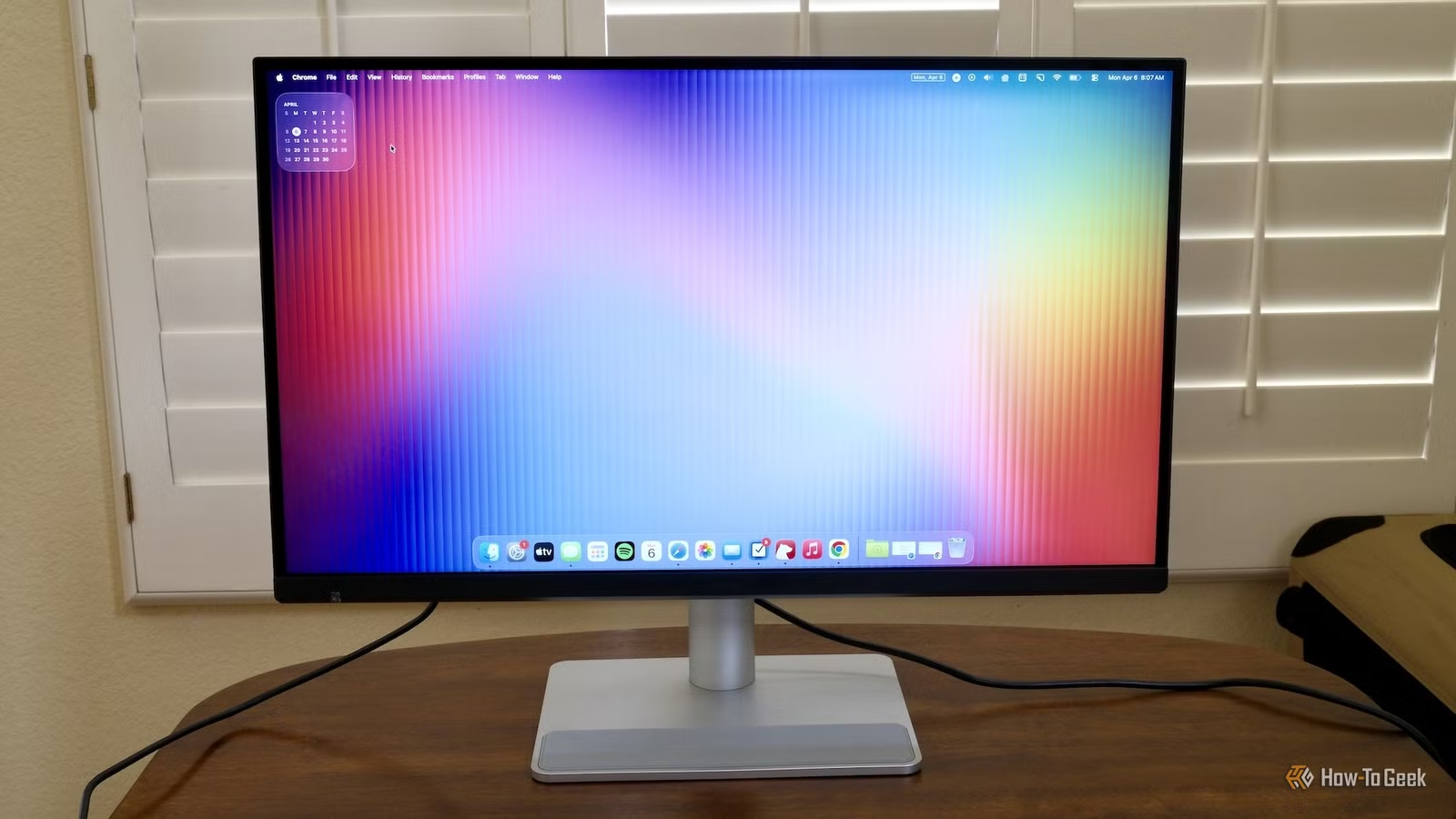
There are lots of computer monitors available, unless you own a Mac and want one perfectly scaled to Apple’s ideal retina resolution. In that case, there are only a couple of options, including the new BenQ MA270S 5K 27-inch monitor. The question is whether it’s better than Apple’s Studio display.

7/10
- Screen Size
-
27in
- Display Technology
-
IPS
- HDR
-
HDR10, VESA DisplayHDR 400
- Resolution
-
5,120 x 2,880
5K 218 PPI clarity that matches your MacBook’s sharp, Retina-level detail.
- Height adjustable stand
- Solid-looking display
- More ports and functionality than Studio Display
- No front-facing camera
- Poor-sounding speakers built-in
- Bulkier base and thickness than Studio Display
Price and availability
Cheaper than a Studio Display
The BenQ MA270S 27-inch 5K monitor is available now and retails for $999.99. It comes with a tilt- and height-adjustable stand.
Potentially a little confusing, BenQ sells several other monitors, including the 27-inch 4K MA270U and the 32-inch 4K MA320U. But the MA270S “Nano Glass” version has a 5,120 x 2,880 resolution, which is important to get the proper amount of pixels (points) per inch for macOS.
- Screen Size
-
27in
- Display Technology
-
IPS
- HDR
-
HDR10, VESA DisplayHDR 400
- Resolution
-
5,120 x 2,880
- Aspect Ratio
-
16:9
- Refresh Rate
-
70Hz
- Response Time
-
5ms
- Weight
-
19.05lb
- Adjustment
-
150mm height adjustment
- Speakers
-
3Wx2
- Brightness
-
450nits
Studio Display vs BenQ MA270S
Apple shows why it’s more expensive

Apple makes a 27-inch 5K monitor for the Macs it sells: the Studio Display. The reason for the BenQ MA270S existing at all seems to be primarily to combat Apple’s $1,599 pricing of that monitor—$1,999 with a tilt- and height-adjustable stand.
The BenQ MA270S comes with a raising and tilting stand, matches a lot the Studio Display’s specs, and comes in $600 cheaper. The primary spec that matters to a lot of Mac owners is the 218 pixels (points) per inch. The “retina” resolution is what modern Apple devices have been built around. On an iPhone, iPad, and MacBook, Apple handles this integration, so you don’t need to worry about it. But on a Mac mini or Mac Studio, you need to do the extra work picking a screen that just looks right. So, with that in mind, the ultimate question for BenQ’s monitor is whether it’s worth buying instead of Apple’s.
Both monitors match up well for things like P3 color, resolution, and an IPS panel. They aren’t exactly a one-to-one match. For example, they differ slightly in contrast ratio and brightness. The BenQ MA270S also doesn’t have a webcam built in, as the Studio Display does.
The housing of the two monitors is slightly different. The BenQ MA270S screen housing is thicker and curved on the back. It has a much wider base footing than the Studio Display’s included, standard, non-adjustable stand. The MA270S has a built-in KVM, so it can switch between two connected machines using a single keyboard and mouse.

The on-board speakers of the Studio Display outshine BenQ’s monitor handily. The Studio Display’s speakers are surprisingly robust and loud for a monitor. In comparison, the MA270S’s speakers are trebly, lacking any low-end.
The inclusion of a camera and really good speakers is an advantage of the Studio Display. Even if the camera is only decent, it still beats needing to add one to the top.
Conversely, the place where the BenQ MA270S literally outshines the Studio Display is its inclusion of High Dynamic Range (HDR) with VESA DisplayHDR 400. While you won’t notice the display feature everywhere throughout the operating system, you will notice it for supported movies and while looking at pictures you’ve taken on your recent iPhone. Images can pop because the bright spots are even brighter, with more range.
In my use, primarily on a Mac mini M4, I found the MA270S very comparable in the areas that matter. After my first day, I stopped noticing the front plastic bezel with “BENQ” embossed into the bottom center. I work in an office without much natural light, so the lower peak brightness—450 nits versus 600 nits— wasn’t a factor. Even at an 80% brightness level on the BenQ, I felt the sting in my eyes pretty quickly.
Mostly, I really liked the twisting and raising stand. It can even turn vertically, though I’ve never needed that. It is very practical to want to twist the screen a little to the right or left to show someone something or just make viewing more comfortable. That freedom isn’t all roses. You might always question whether your monitor is level if you can adjust it in all directions.
The BenQ Display Pilot 2 software adds native Mac compatibility with brightness controls, among other keyboard shortcuts. It allows control over all the inputs, resolution, and color profiles. While I’d rather not have to install any software, it seems to work well. I never had a problem with it.
Is the BenQ MA270S a good monitor for non-Mac users?
There are better options out there

If you have a Mac and are shopping for monitors, the BenQ MA270S is a compelling option. If you’re using a Windows machine, Chromebook, or other type of computer, I’m less certain this is one to consider.
The KVM might be a good bridge between a Mac and an additional computer for people living a two-operating-system lifestyle. Using BenQ’s software, you can split the screen into multiple configurations to not just see both, but transfer items between them. It could be a great all-in-one solution, but if price is a factor, then there are still cheaper options. BenQ has several other monitors with 4K resolutions that might satisfy your needs for closer to $500.
Should you buy the BenQ MA270S monitor?
A strong contender for Mac owners

The BenQ MA270S 5K 27-inch monitor is an interesting product because it competes almost exclusively with Apple’s Studio Display monitor. If you want a gaming monitor, there are better options. If you have a Windows computer, there are cheaper options. But if you have a Mac, then it’s compelling.
While there are still pitfalls like no webcam, poor built-in speakers, and a lack of 120Hz, the monitor’s inclusion of HDR and a flexible stand are really nice. Buyers of Apple’s Macs can be a fickle bunch, myself included, but in the interest of saving $600, I think the MA270S is tempting enough to take the plunge. If this had been available when I bought my Mac mini, I likely would have gone this route.

7/10
- Screen Size
-
27in
- Display Technology
-
IPS
- HDR
-
HDR10, VESA DisplayHDR 400
- Resolution
-
5,120 x 2,880