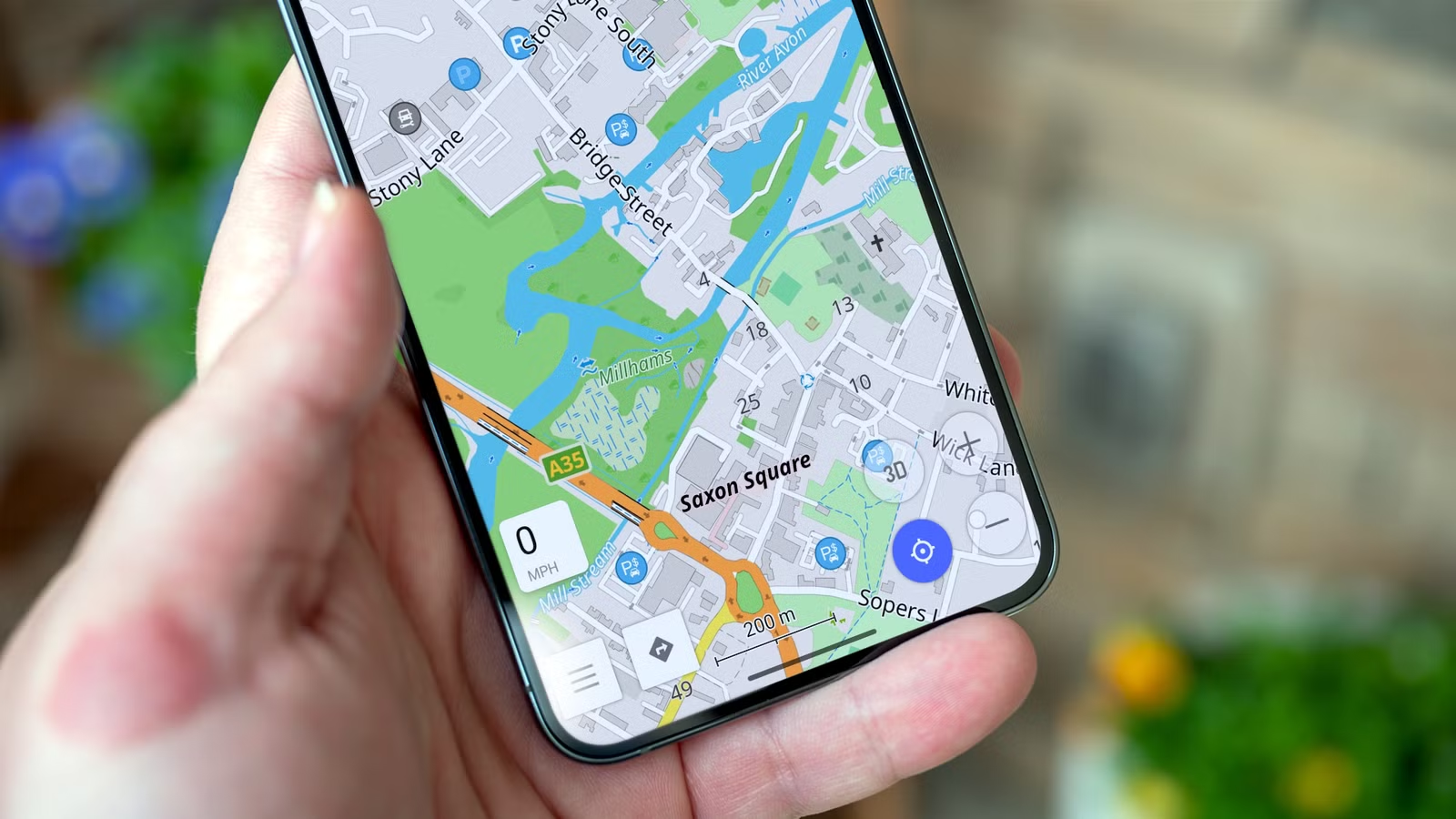
Google Maps has become more and more feature-rich over the years, and sometimes that is a good thing. However, between the sponsored listings, pop-ups I have to interact with while I’m driving, and a dubious privacy policy, I decided to switch to a privacy-focused alternative.
Why I needed to ditch Google Maps
It does too many things
Google Maps started out as a simple tool: search for a place, get directions, and leave. In recent years, however, the interface has been crowded with sponsored listings, local recommendations, and prompts you never requested. It feels more like a mashup of Yelp and general web search than a pure navigation aid.
The thing that finally forced me to start looking for an alternative was a simple feature: automatic rerouting. On multiple occasions, I’ve deliberately set a route, only for Google Maps to spontaneously change it by itself. Technically, it “asks” before it does it. However, a 10-second prompt will default to yes that I have to press while I’m driving is an actual safety risk. After rerouting me unnecessarily along a toll road despite my settings, I was finally done.
Another big drawback is privacy. Google Maps records your entire location history, ties it to your Google account, and builds an exhaustive profile of where you go and when. While you can restrict certain data, you remain within Google’s ecosystem and its associated tracking mechanisms.
Offline functionality is another pain point. The app technically supports offline maps, but only if you download the correct region in advance. Even then, a missing tile or an unexpected route change can leave you stranded.
Eventually, I realized that Google Maps had become a regular annoyance and started searching for a replacement.
OsmAnd is an open-source replacement for Google Maps
Free, open-source, and privacy-friendly
OsmAnd is built on OpenStreetMap, a community-driven mapping platform that collects data from people all over the world. Because it doesn’t depend on a corporate source, I’ve found it often includes finer detail in areas Google ignores, such as hiking trails and remote roads.
What really sets OsmAnd apart is the app’s focus: it is purely a navigation tool. I don’t need to create an account, sync my data across devices, or deliberately ignore ads that push me toward specific businesses. I can just download the maps I need onto my device and use them offline. That difference shows through how the rest of the app is designed.
How I contribute to open source without coding (and you can too)
It’s actually easy to turn what you know about your local area into useful public info.
One of the most compelling differences is that offline navigation functions as the default. After you download a region once, every turn-by-turn instruction, reroute request, and search query operates without an internet connection. I don’t have to worry about whether I’ll have service or not. I’ve found this to be especially helpful when I’m hiking or canoeing in remote areas where cell service is still nonexistent.
Because there’s no background data traffic, OsmAnd feels noticeably snappier and consumes less battery—another advantage when I’m somewhere remote.
Where OsmAnd is actually better
Google Maps wishes it could do these things

While offline navigation is the most obvious feature, OsmAnd offers several other advantages that will appeal to people with any kind of specialized interest.
For outdoor enthusiasts—hikers, cyclists, or anything else like that—the map detail is often superior to Google Maps. Trails are usually carefully marked with elevation data and terrain overlays that can help you plan your routes more accurately.
Customization is another strength. You can adjust map styles, enable or disable overlays, choose routing preferences (a huge sticking point with Google Maps for me), and tailor navigation profiles for different modes of transport. The app behaves like a tool you shape to your needs rather than a one-size-fits-all solution.
The privacy model is also vastly superior. There is no account creation, no identity-linked tracking, and no data sold to advertisers.
I’m not going back to Google Maps
Despite a few compromises, OsmAnd has done what I needed: it lets me get from point A to point B without intrusive ads or dangerous prompts.
Once I got accustomed to offline routing, going back to an option that requires streaming feels almost like a liability. The absence of a constant search for a signal seems like a no big deal until you’re somewhere without any service, and you can’t use a tool you’ve come to depend on.
Beyond the technical benefits, the experience feels less cluttered. The interface is lean and the behavior more predictable. And thankfully, I’m no longer subjected to random reroute prompts while I’m trying to survive in bumper-to-bumper traffic.

- Brand
-
Google
- SoC
-
Google Tensor G5
- Display
-
6.3-inch Actua OLED, 20:9
- RAM
-
12 GB RAM
- Storage
-
128 GB / 256 GB
- Battery
-
4970mAh
Looking to upgrade to a Pixel but not sure if you need all the bells and whistles of the more expensive models? You won’t be disappointed with the standard Pixel 10 model. Coming in striking colors, Gemini features, and seven years of updates, you can’t go wrong with this purchase.