After years of good intentions and a vault full of chaos, one afternoon with Claude Code did what no plugin ever could.
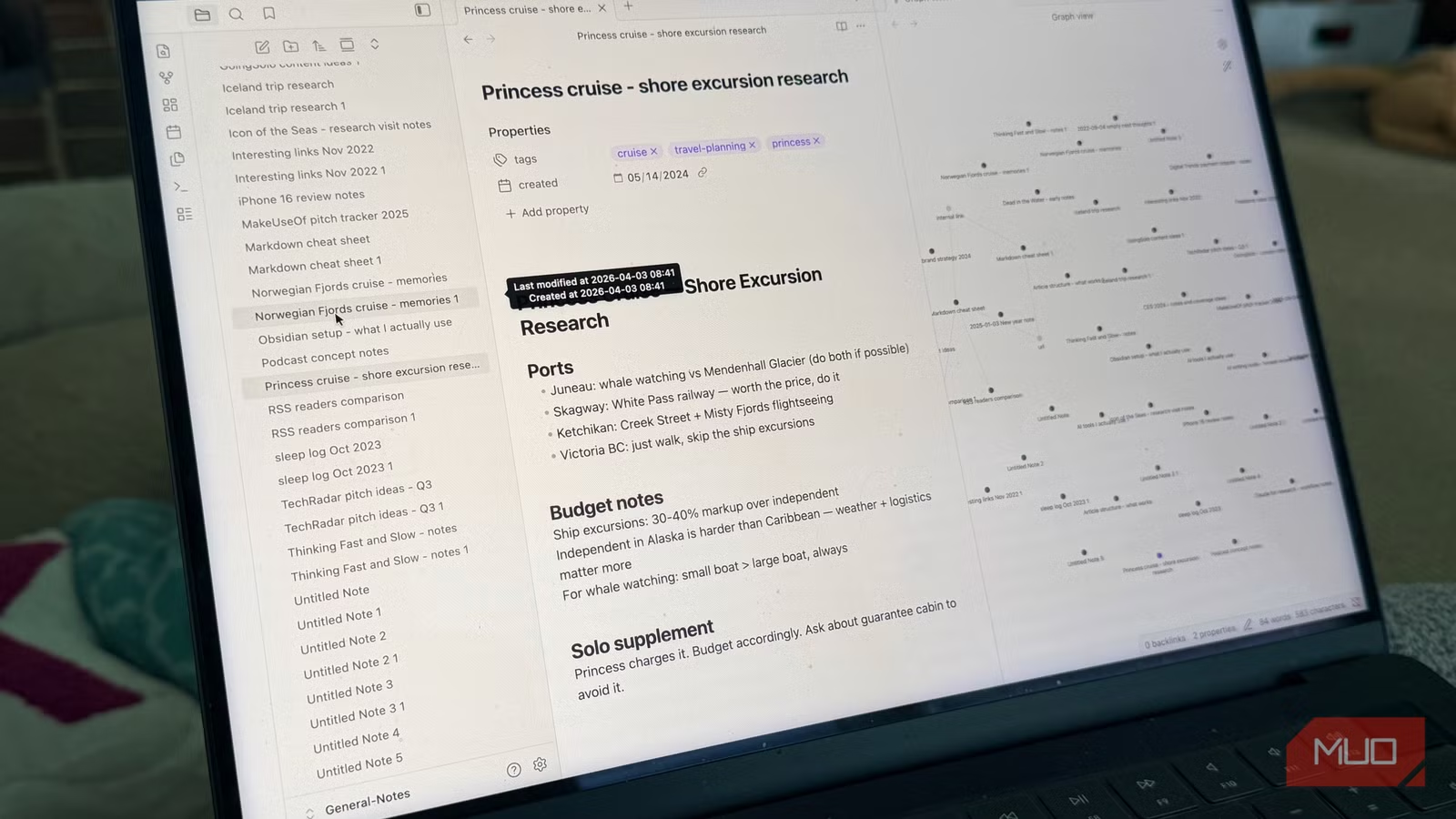
If you’ve used Obsidian for note-taking for more than a year, you probably have a secret. Your vault is a mess. Mine wasn’t just messy, it was a graveyard of “Untitled” notes and orphaned tags that felt more like a cognitive tax than a second brain.
Not a lovable, quirky disaster. A real one. There were five years of notes dumped across more than 800 files with orphaned attachments, inconsistent naming, tags that I noticed later meant nothing, and folders that contradicted each other. And my graph looked less like a knowledge web and more like a panic attack rendered in dots and lines.
I’d tried every approach. Templates. Even some of the best plugins. A complete reorganization I started two years ago that I abandoned after a few hours. A Dataview setup I barely understood. None of it stuck, because the problem wasn’t structure; it was the sheer volume of remediation required to get there.
Then early this year, I tried something different: I handed the problem to Claude Code, as others have done, paired it with a few Obsidian CLI commands, and watched it do in about 90 minutes what I hadn’t managed in five years.
I subscribed to Obsidian Sync and it’s the best money I spent last year
Turns out, the peace of mind is worth more than my stubbornness.
What is Claude Code and why does it matter for note-taking?
An AI that works in your terminal, not a chatbox
If you haven’t encountered it yet, Claude Code is Anthropic’s command-line AI tool. Unlike Claude’s more traditional interface, Claude Code operates directly in your terminal, reads files from your local system, writes and edits code, and executes multi-step tasks autonomously without you having to manage every prompt.
That last part is what makes Claude Code different. Most AI tools require you to stay in the loop, feeding information back and forth. Claude Code can be given a goal, handed access to a directory, and trusted to work through the problem systematically. It sees your file system the way a developer would, not the way a chatbot does.
For a task like reorganizing a notes vault, that distinction matters enormously.

- OS
-
Windows, macOS, Linux, Android, iOS, iPadOS
- Developer
-
Dynalist Inc.
How to connect Claude Code to your Obsidian vault
Why notesmd-cli is the right tool for this job

To make this work, I used notesmd-cli. While Obsidian released an official CLI in early 2026, it’s currently not available for me. notesmd-cli is the de facto community standard; it’s free, installs via a single Homebrew command, and handles the heavy lifting: mass renaming of those 63 “Untitled” notes, frontmatter editing to standardize my messy tagging, and moving files without needing to keep the Obsidian app open.
The combination of the two tools creates something genuinely useful: an AI that can read every note in your vault, understand the content, and then take action, renaming, tagging, moving, linking, without you having to babysit each decision.
How to structure your Claude Code prompts for vault cleanup
The three-phase approach that keeps you in control

I gave Claude Code a fairly specific brief, broken into phases:
- Phase 1: Audit the vault. Catalog what was there, file names, existing tags, folder locations, rough content categories, etc., then report back a summary before touching anything.
- Phase 2: Propose a folder structure and tagging taxonomy based on what is actually found, not what I thought was there.
- Phase 3: Execute the reorganization, file by file, with a log of every change made so I could review (and reverse, as needed) afterward. I’m a writer, not a gambler. I wasn’t about to let an LLM delete five years of research without a leash. I forced Claude to follow a strict ‘look-but-don’t-touch’ protocol first.
What Claude Code discovered when it analyzed 847 notes
The category breakdown that changed how I saw my own vault

The summary Claude Code returned after the first phase was genuinely humbling. Of my 847 notes, about 340 had no tags, while another 200 used tags that I’d applied inconsistently. I also had 14 different folders with overlapping purposes. Another 63 files were named some variation of “Untitled Note.” Finally, 11 were empty.
I knew it was bad, but I didn’t know it was that bad.
What I found most useful was the category breakdown the audit produced. It identified seven clear content clusters in my vault based on the actual text of my notes: professional writing, personal journaling, travel research, technology reference, books and media notes, health tracking, and a catch-all miscellaneous bucket. I had mentally organized my vault as if these buckets were roughly equal. They weren’t. Professional writing and tech reference made up about 60% of everything.
How Claude Code built a folder structure from scratch
Why evidence-based organization beats intention-based organization

Claude Code’s proposed taxonomy was cleaner than anything I’d designed myself, precisely because it was based on evidence rather than intention.
It suggested a flat-ish folder structure with seven top-level folders matching the content clusters, using a consistent tag scheme with lowercase, hyphenated tags. It flagged the 11 empty files for deletion with my confirmation. It also proposed moving the 63 untitled notes into a single review folder rather than guessing their categories, which was the right call.
I made two modifications to the proposal: I split the travel folder into “travel-planning” and “travel-memories” because a list of flight confirmation numbers from 2022 is clutter, but a sensory description of a sunset somewhere in the Caribbean is a resource.
Then I gave it the go-ahead.
What actually happens when Claude Code reorganizes your vault
The change log that gave me confidence to let it run

I won’t pretend I watched it work the entire time. I made coffee, answered some emails, did some social networking, then came back. What I found when I returned was a change log, a plain text file Claude Code had created in my vault root that documented every action that was taken.
The vault, opened in Obsidian for the first time afterward, looked different immediately. The graph view, which I’d given up on as useless, now showed clusters; actual, legible clusters. The seven content categories I’d approved were visible as loose neighborhoods in the visualization.
I spent about 30 minutes reviewing the change log, spot-checking moves, and confirming the 11 empty-file deletions. I found three files I wanted to move differently; that was it.
The real limits of using Claude Code for Obsidian organization
Three things you’ll still have to do yourself

It’s worth being honest about the limits I experienced.
Claude Code, for example, couldn’t resolve genuinely ambiguous notes. A clipped article snippet with no content, a list of names with no explanation. Those ended up in the miscellaneous folder by default, which was the correct behavior. Additionally, I still have to work through 40 notes that are legitimately unclear.
It also couldn’t improve the quality of what I’d written. Disorganized thinking expressed in a well-placed file is still disorganized thinking. Organization is a precondition for a useful vault, not a substitute for better notes.
And the Obsidian CLI setup does require some comfort with the terminal. It’s not a plug-and-play process, and if you’re not used to working in the command line, the setup friction is real. This isn’t a mainstream consumer workflow yet, although I’m convinced it could be in just a few months.
Why Claude Code succeeds where Obsidian plugins fail

Every plug-in-based solution I’d tried before put the organizational burden back on me. I still had to make hundreds of micro-decisions, and the effort required exceeded my patience every time.
Claude Code changes the dynamic because it’s doing the decision-making at scale, not just providing the tools to do it yourself. The audit-propose-execute structure gives you oversight without putting you in the weeds of every individual choice.
There’s also something to the fact that it reads your notes as text: not metadata, not file names, but actual content. That’s how a thoughtful human assistant would approach the task, and it produces results that reflect what your notes are actually about, rather than what you called them late at night three years ago.
Is Claude Code right for your Obsidian vault?
If you’re a long-term Obsidian user with a vault that’s grown beyond your ability to maintain manually, yes — with caveats.
You should be comfortable in the terminal, or willing to learn enough to get there. You should take the phased approach and not skip the audit-review step before execution. And you should back up your vault before starting, which should go without saying, but definitely needs to be said.
For me, it was the first time a reorganization project actually finished. For the first time in years, I can actually find my research for a chapter without the ‘Panic Attack’ graph view mocking me. I didn’t just clean a folder; I reclaimed my headspace.