I’ve tried many productivity apps to better manage my tasks, track time, and fight my procrastination problem. Recently, I tried Koncentro, an open-source app that can replace three productivity tools at once, including a Pomodoro timer, a todo app, and a website blocker. But it’s a bit basic and lacks any sync option, which is something I need when I’m working across multiple devices. A bit of backup never hurts, either.
Super-Productivity is another open-source productivity app that offers tasks, time tracking, and a procrastination helper, but in a much nicer interface, with a lot more features and multiple sync options, all for free. After spending a few days with the app, I can tell it’ll shame you into getting your work done, and that’s a good thing.
It works completely offline with no account required
No sign-up, no email, no cloud lock-in
The first thing I noticed about Super-Productivity is what it doesn’t ask for. There’s no sign-up screen, no email field and no forced sign-up before you can start using the app. Once you download the app from the Play Store, all you have to do is open it, and you can start managing tasks right away.
When you first launch the app, it asks how you want to use it. You can pick Simple Todo List, Time Tracker, or Productivity Suite, depending on how deep you want to go. Right below those options, the app says your data stays securely on your device, and nothing is sent to a server. That’s not just a marketing line, either; the app is open source, and the code is public so that anyone can verify the claim.
For me, this was the biggest selling point. I’ve grown tired of productivity apps that gate basic features behind a free account, then mine your task data for who knows what. With Super-Productivity, my todo list is my business and nobody else’s.
The feature set rivals paid todo apps I’ve tried
A full productivity suite without the price tag
Despite being free and offline-first, Super-Productivity packs in features you’d normally expect from a paid app. You can create projects with nested subtasks, set time estimates and deadlines, attach files, and add markdown notes. Tasks also support repeating schedules, tags, and detailed descriptions, so you can build out a system that fits how you actually work.
The built-in Pomodoro timer is a standout. It sits alongside two other modes, Flowtime and Countdown, and you can configure the work duration, short break, long break, and how many sessions to complete before the long break kicks in. The default is 25 minutes of work with a 5-minute break, but I bumped mine up to 50-minute deep work sessions for writing.
However, what truly sets it apart from other productivity apps is its idle detection. If I step away from my desk for too long, the app pops up a dialog showing exactly how long I’ve been idle and asks whether I want to log it as a break, assign it to a task, or skip it entirely. This sounds small, but it’s the first time a time tracker has given me an honest log of my workday instead of letting me silently inflate my numbers.

This free Pomodoro app finally made the technique work for me
Standalone timers never clicked for me, but a task app with a built-in Pomodoro feature did.
The mobile app holds its own against the desktop version
Super-Productivity is available on Android, iOS, Windows, macOS, and Linux, plus a web app that works offline in your browser. I expected the mobile app to feel like an afterthought, but it works even better than its desktop version. The Android app has the same Today, Inbox, Planner, Schedule, Boards, and Habits views as the desktop, and you can swipe a task left for quick actions like starting a focus session, adding subtasks, or setting deadlines.
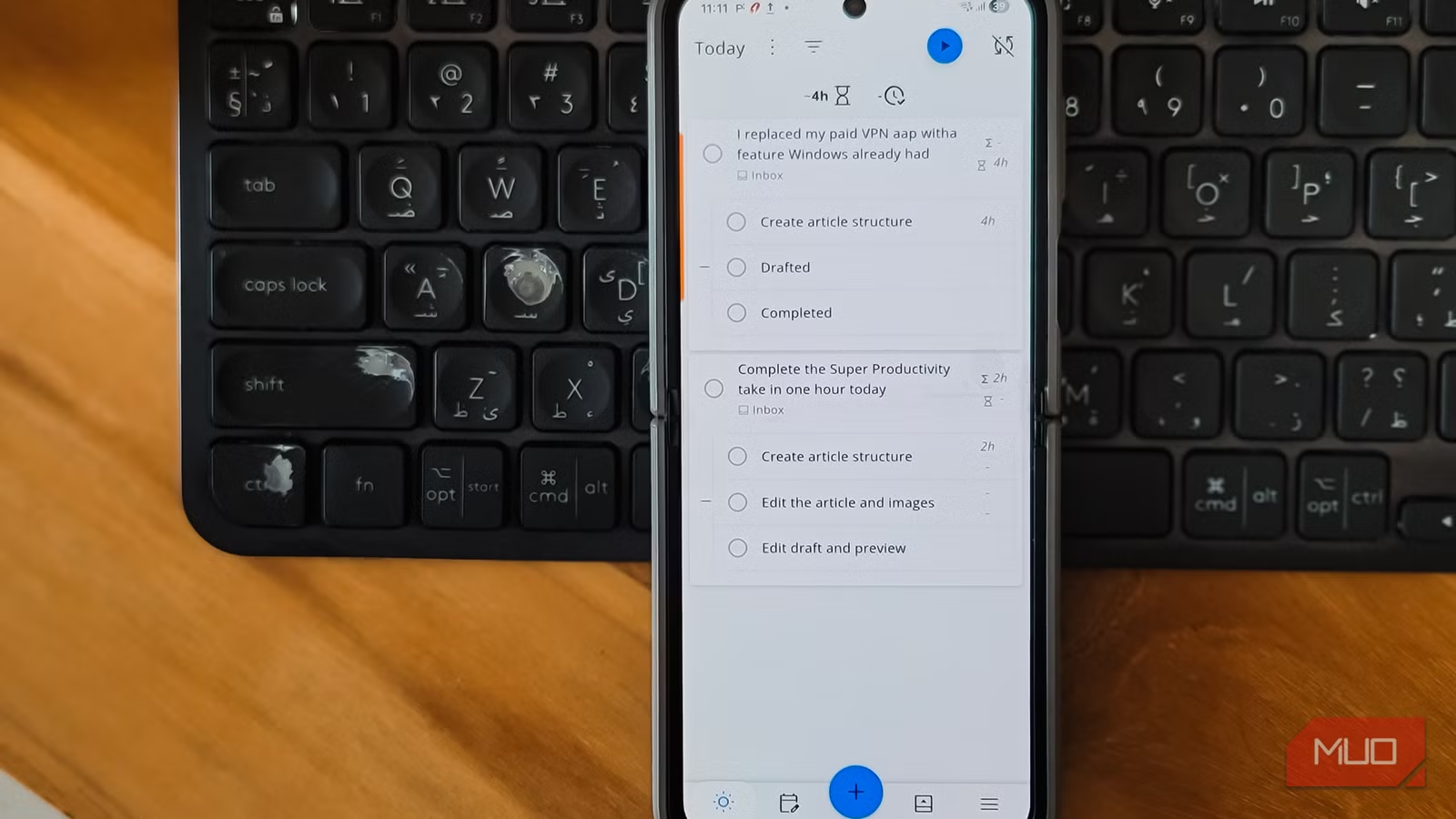
The interface is clean and minimal. Tasks show their estimated time and tracked time on the right, subtasks nest cleanly under their parents, and the bottom bar puts the most-used actions within thumb reach. I’ve used it on my Samsung Galaxy Z Flip 6 for a few days now, and it handles the foldable screen without any awkward layout issues.
Sync is optional — and you choose how private it stays
Pick your sync method, or skip it entirely

Sync in Super-Productivity is opt-in. You access it by tapping the sync icon in the top-right corner, which opens a Configure Sync dialog. From there, you pick a sync provider from a dropdown that includes SuperSync (Beta), Dropbox, Nextcloud, WebDAV, and LocalFile. The WebDAV option is marked as not recommended, and LocalFile is flagged as experimental and deprecated, so the practical choices are SuperSync, Dropbox, or Nextcloud. You can also manually import and export tasks if you want to keep everything exclusively on your device.
SuperSync is the easiest way to sync. It’s the developer’s official sync server, and setup involves two steps: tap Open Server & Get Token, log in, then paste the token back into the app. Worth knowing, though, the SuperSync server page says the service is free for now but will likely cost money in the future, so it may move to a paid plan later, similar to how Obsidian charges only for its sync feature.
If you’d rather avoid that uncertainty, Dropbox and Nextcloud both work well. I picked Nextcloud because I already self-host one, and my tasks now sync between my phone and laptop without ever touching a third-party server.
It’s not perfect, but the trade-offs are worth it
A few rough edges in exchange for total ownership

Super Productivity isn’t flawless; nothing is. The sheer number of features can feel overwhelming on day one, and the recommended setup flow doesn’t quite explain which mode is best for which kind of user. I picked Productivity Suite without really understanding what I was opting into, and it took me a while to find features I’d accidentally enabled.
The sync options are also a mixed bag. WebDAV is marked as not recommended, LocalFile is deprecated, and SuperSync may not stay free forever. That leaves Dropbox and Nextcloud as the two reliable long-term choices, which is fine but limiting if you’re already invested in Google Drive or OneDrive.
Still, these are minor complaints for an app that gives me a full productivity suite with full control over my personal data. The trade-off of spending an hour learning the interface, in exchange for a tool I actually own, is one I’ll take any day.

- OS
-
Android, iOS, Windows, macOS, Linux, Web
- Price model
-
Free
Super Productivity is a free, open-source task manager that combines timeboxing, time tracking, and Pomodoro focus tools. It integrates with Jira, GitHub, GitLab, and calendars, with zero data collection.
A productivity app that finally feels useful
I’ve spent years cycling through todo apps that promised privacy and delivered ads, or promised simplicity and turned into bloated subscription traps. Super-Productivity is the first app in a long time that just lets me work. My tasks live on my phone, my time logs stay between me and the app, and the only thing it asks of me is that I actually finish what I plan.
It’s not the prettiest task manager I’ve used, and it has a bit of a learning curve. But for a free, open-source app that runs on every platform I own and collects absolutely nothing, Super-Productivity sets a bar that paid alternatives often fall short of.