After you have had a 3D printer for a while, you start to see things and think, “I could make that.” However, there’s one thing that I use every day that I have never attempted to print: a phone case. I decided to finally give it a shot, and I was surprised by the results.
I’d seen models of phone cases that people had made, but I just didn’t think a 3D printer could do as good a job as the mass-produced manufacturing process. The good news is I was mostly wrong. I’m pretty impressed with the cases you’ll see in this article, and I even tried my hand at making my own.
I thought 3D printed phone cases would suck
Hard to beat injection molding
Most phone cases are manufactured with a process called “injection molding.” Molten plastic is injected into a hollow mold cavity, which allows it to be extremely precise and thin. I wasn’t confident that an FDM printer could make a phone case that rivaled the fit and feel.
My first concern was thickness. I really don’t like big, bulky phone cases. In fact, I’ve been using my Pixel 10 almost exclusively without any case at all. I know first-hand how fragile thin 3D printed parts can be. I worried a phone case that was think enough for my liking would snap when trying to get it on.
-
- Brand
-
Google
- SoC
-
Google Tensor G5
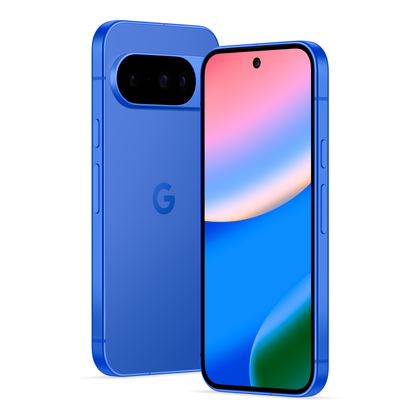
Looking to upgrade to a Pixel but not sure if you need all the bells and whistles of the more expensive models? You won’t be disappointed with the standard Pixel 10 model. Coming in striking colors, Gemini features, and seven years of updates, you can’t go wrong with this purchase.
-

- Brand
-
Spigen
- Material
-
Polycarbonate, Thermoplastic Polyurethane
- Wireless Charging Support
-
Yes
- Screen protector included
-
No
The Spigen Liquid Air case weighs just over one ounce, yet it offers scratch and drop protection and a textured frame for enhanced grip. Year after year, it’s my go-to case.


The second part I was worried about was feel. A popular material for phone cases is TPU, and that’s a material that can be used with 3D printers as well. However, I very much dislike the feel of TPU cases—always have. I’ve also heard TPU isn’t very easy to print with.
Part of my holdup was due to my 3D printer, too. For the last couple of years, I’ve been using a cheap, basic 3D printer, and while it’s helped me make some awesome stuff, it struggles with detailed prints. Recently, I upgraded to a Bambu Labs P1S, and I decided it was time to try printing a phone case.

I 3D printed my own smart display because Google’s wasn’t good enough
When the product you want doesn’t exist, make it yourself.
It went better than I thought!
Experimenting with phone cases
For my first attempt, I downloaded a Pixel 10 case designed by Joak1m on MakerWorld. I chose this case because it looked decently thin, had full cutouts around the buttons and charging ports, and the separate camera ring allowed for easier printing (and color fun).
I printed the case with 0.16mm layer height and no supports. The print only took 50 minutes—including a filament color swap—and came out looking great. To my surprise, it snapped on my phone easily and felt very secure. I will say it’s not the easiest case to get off, but that’s not unusual for many of the cases I’ve purchased, either.
The case is about 1mm thick, which is actually thinner than the last case I used—2mm. I was curious, so I looked through my collection and found that the thinnest case I own is a 0.65mm Aramid fiber case. 1mm is certainly thin enough to get my stamp of approval.
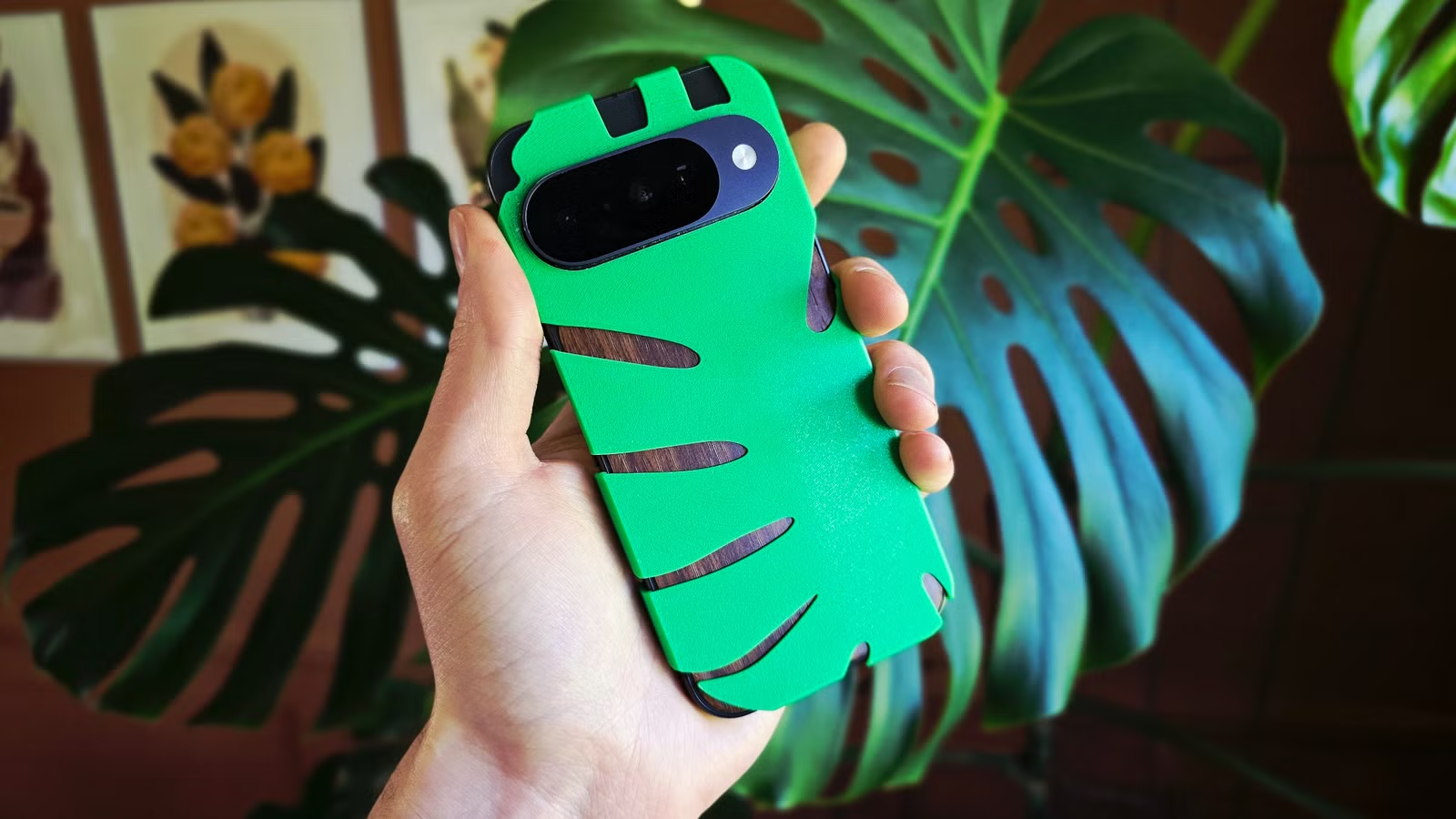
With the first case out of the way, I decided to have some fun. I thought it would be cool to have a minimal “case” that looks like a Monstera leaf wrapped around my phone. I didn’t feel like spending several hours measuring and testing every detail of my Pixel 10, so I used a Fusion model from Printables user The Kwijibo as my starting point.
What I did spend several hours doing was use an SVG of a Monstera leaf as a cookie cutter on all sides of the case. It took a lot of finagling to get just right—I’m still not 100% happy with it—but as a first prototype, I think it came out pretty cool. I was surprised by how well it stayed on despite some pretty flimsy sections.
Lastly, I had the idea to make a back “cover” for my phone. Rather than a full case, it’s just a flat, thin sheet that sticks on the back of the phone purely for looks. I made some simple cutouts for shapes and printed them in multiple colors. Honestly, I’m not that happy with this one. I didn’t factor in the rounded edges of the Pixel 10, which means the plastic sticks out too far—and it’s kinda ugly.
3D printed cases aren’t perfect
You can feel the filament
Everything I’ve said so far is positive, and that’s my overall experience, too. 3D printed cases aren’t perfect, though. My main gripe is the actual feel of the material.
All of the cases in this article were printed with PLA, which is not known for being flexible. In fact, it’s generally considered pretty brittle. So far, I haven’t noticed any issues with that. The Monstera case has some nice flex to it, and the full-body case is easy enough to snap on.
That being said, PLA doesn’t have the best feel—it’s sort of a waxy, milk carton-like finish. The bigger issue is the slight roughness from the layer lines and some sharp edges straight off the printer. The good news is that all of this can be fixed with some light sanding if you’re willing to put in the effort.
The main issue with 3D printed phone cases is durability. I have no doubt that a PLA or even a PETG case would shatter upon impact if I dropped my phone. TPU is clearly the best choice if protection is your main goal. However, as I said, I wasn’t using a case at all on my Pixel 10 before this, so that’s not a big concern for me.
It’s nice to be surprised
3D printing your own phone case is clearly a possibility if your printer can handle it. This experience has taught me just how limiting my old printer was. My case came out looking great and didn’t take very long to print. If you want a quick case or something you can’t find in a store, it’s worth a shot.