One man’s trash really is another man’s treasure, and that feels more true now than it used to. Ever since I bought a used router and installed OpenWRT on it, I’ve been mesmerized by the used tech market.
Open-source software has come a long way. So has self-hosting. There are more options than ever, which means buying old hardware is no longer just about settling for less. Sometimes it’s about spotting something cheap, wiping the software, installing your own stack, and turning it into exactly what you need.
Thanks to the advances of software, there are so many ways to put old hardware to use. Old tablets and phones still have lots of uses. Old laptops definitely still have uses. Maybe not as “laptops” that you carry around to work on the go.
I wanted something to use as a home server, a machine to run Jellyfin on, host SearXNG, maybe Immich, that sort of thing. I landed on a used Dell Latitude for about $180. It has an Intel Core i5-1245U, 8GB of RAM, and a 256GB M.2 SSD. On paper, that’s just a decent, ordinary laptop.
But it also has one feature that makes the value proposition much better for this use case, to the point where it almost feels ridiculous for the price.
This is the port to look out for
It comes with lightning
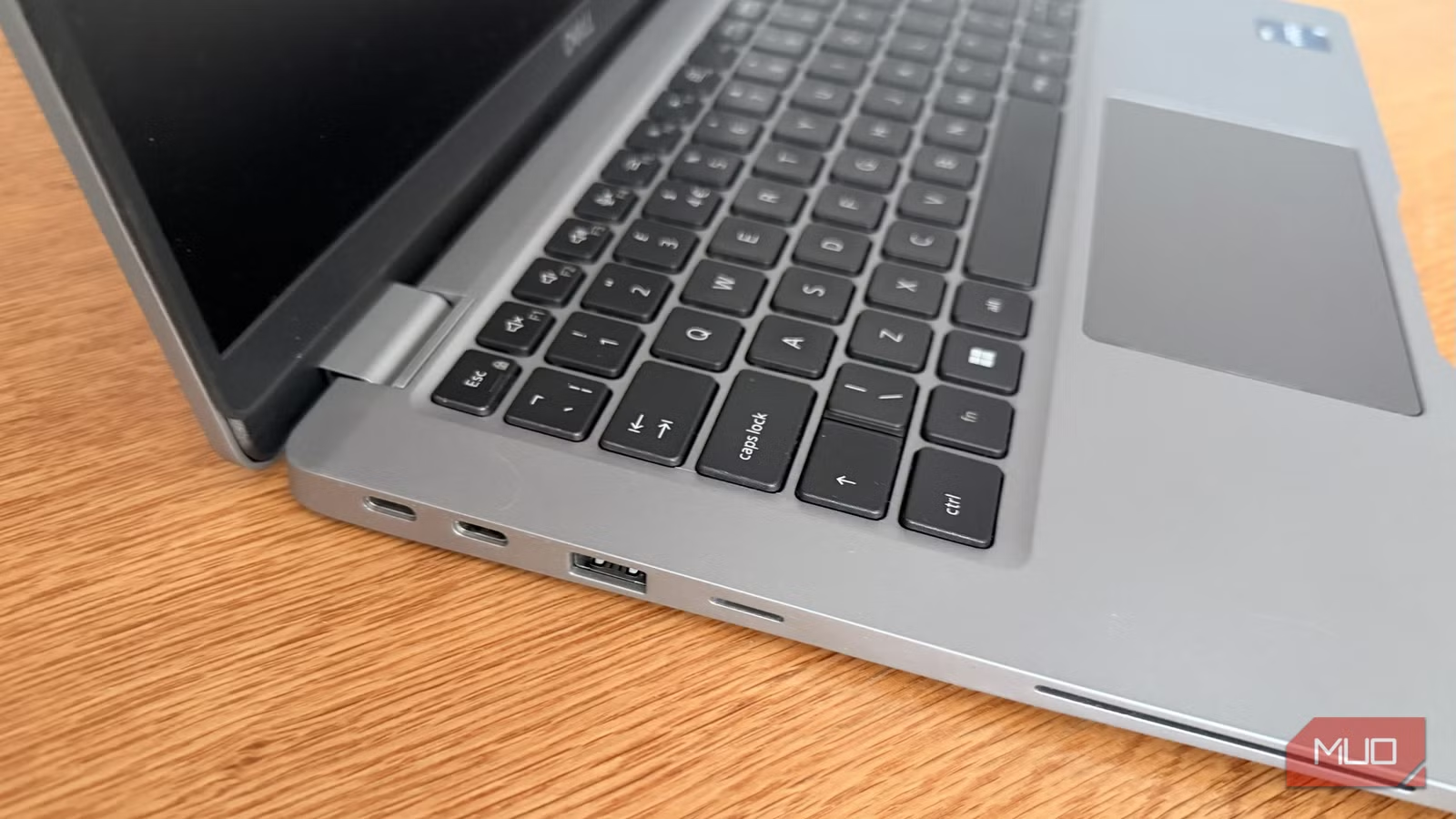
I admit that I hadn’t look up the spec sheet when buying the used Dell. It was a quick impulse purchase. I looked at the seller’s photos, noticed the USB-C ports, but didn’t think much of it since they didn’t have the lightning bolt icon on them. When the laptop arrived, I brought up the spec sheet to know what I’m dealing with, and then I saw it.
This little Dell comes with not one but two Thunderbolt 4 ports, each capable of up to 40Gbps. And that is absurdly useful on a used laptop, especially one you’re repurposing as a home server.
In fact, I’d argue Thunderbolt is more useful here than it would be for the laptop’s original audience. A student or office worker might appreciate it, sure. But for a cheap used machine that’s being turned into a tiny server, it changes the whole equation. It was serendipitous for me, but it can be intentional for you.

Thunderbolt makes regret impossible
Always a smart purchase
With Thunderbolt, the only specs I really care about are the CPU and the RAM.
This laptop, for example, doesn’t even have an Ethernet port. No RJ45. I had planned to dedicate one of the USB ports to a USB Ethernet adapter, but with Thunderbolt I can attach a USB hub to the laptop, then attach not one, but four 10Gb Ethernet adapters. I can have four (separate) 10Gb networks at the same time. That alone opens so many doors for networking. (I know that an adapter like that would cost around the same as the entire laptop — I’m just saying)

- Brand
-
Ubiquiti
- DATA TRANSFER RATE
-
1/2.5/5/10 Gbps
The Ubiquiti UniFi USB-C to 10GbE RJ45 Ethernet Adapter is a high-performance network interface designed to provide ultra-fast 10 Gigabit Ethernet connectivity to laptops and computers via a USB-C port.
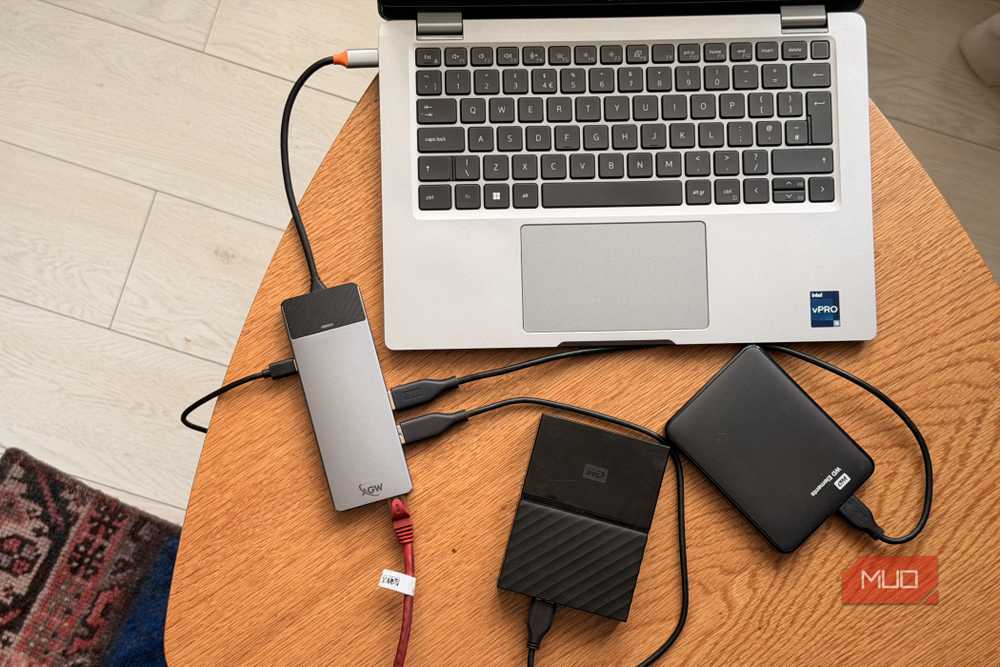
Storage expansion is where this gets even better. If I’m using this for Jellyfin or any kind of media-heavy server setup, I’m going to want more storage. Thunderbolt means I’m not stuck with slow external drives. I can connect fast SSD storage and actually use it properly.
I was a little disappointed that I didn’t spend more on a model with a proper GPU — to run local LLMs with. But then I realized I don’t necessarily need to. I can just add one externally later when I feel like it. eGPUs are still a bit of a mess in 2026. I’m not pretending otherwise. But they do work! I’m obviously not going to hook up an RTX 5090 and expect desktop-class magic over a 40Gbps link, but something modest is absolutely on the table.

|
|
These tiny blemishes had significantly dropped the laptop’s price. |
Even the limited RAM is not quite the disaster it looks like at first. No, you can’t just add external RAM over Thunderbolt, and no, fast storage is not the same thing as memory. RAM is RAM because it’s directly tied into the CPU in a way storage never will be. But if I want to use the internal PCIe SSD as scratch storage and offload bulk storage to external drives, I can.
In other words, what I’ve really got here is a very capable mini PC that also happens to come with a built-in display, keyboard, trackpad, and battery.
I almost wish the screen was broken too

If the display had been broken, would I actually have cared? Not much. If anything, I would’ve been happy if that knocked another $100 off the price. A broken display is a dealbreaker if you’re using a laptop as a laptop, but not if you’re using it for a server. My point is that, most of what tanks a used laptop’s price, makes it a great deal for a use case like this, and Thunderbolt makes regret impossible. Whatever you missed, you can just add later.
A decent CPU is important. Enough RAM is important. But Thunderbolt is the thing that turns a cheap used laptop from “pretty good for the money” into “I can’t believe this was this cheap.” So yes, if you’re browsing cheap used laptops and you spot Thunderbolt on one, especially on a business-class model with a decent CPU, you’ve basically won the DIY self-hosting lottery. Even if you don’t have a use for it now, you’ll have a use for it later.